
Introduction
My home lab currently consists of two separate servers: a rented VPS and my own home server. This article focuses solely on my home server.
I rebuilt the home server at the beginning of the year. It serves several purposes for me:
- Data storage: I need a NAS for a better backup system.
- Learning: I want to experiment with specific Kubernetes topics.
- Degoogling: I want to be independent of Google when it comes to my data.
This post is about how I prepared the home server for these purposes.
What kind of home server do I have?
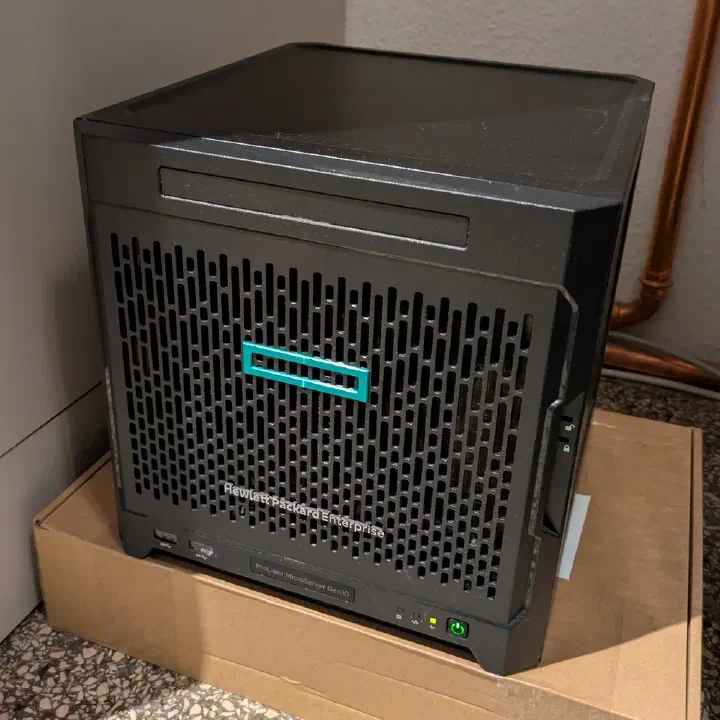
My home server is an HPE ProLiant MicroServer Gen10. It has an AMD Opteron(tm) X3421 APU and currently 24 GB of RAM.
The case also has room for 4 SATA drives, which I run in a RAIDZ1 configuration.
Infrastructure Overview
I set up my home server’s infrastructure as a production-like, single-node home lab. For me, that means striking a balance between a setup that resembles production as closely as possible, low maintenance effort and low costs. In practical terms, the first step is to introduce a virtualization layer that allows multiple VMs to run on one server. The platform layer builds on this and provides the foundation for the services.
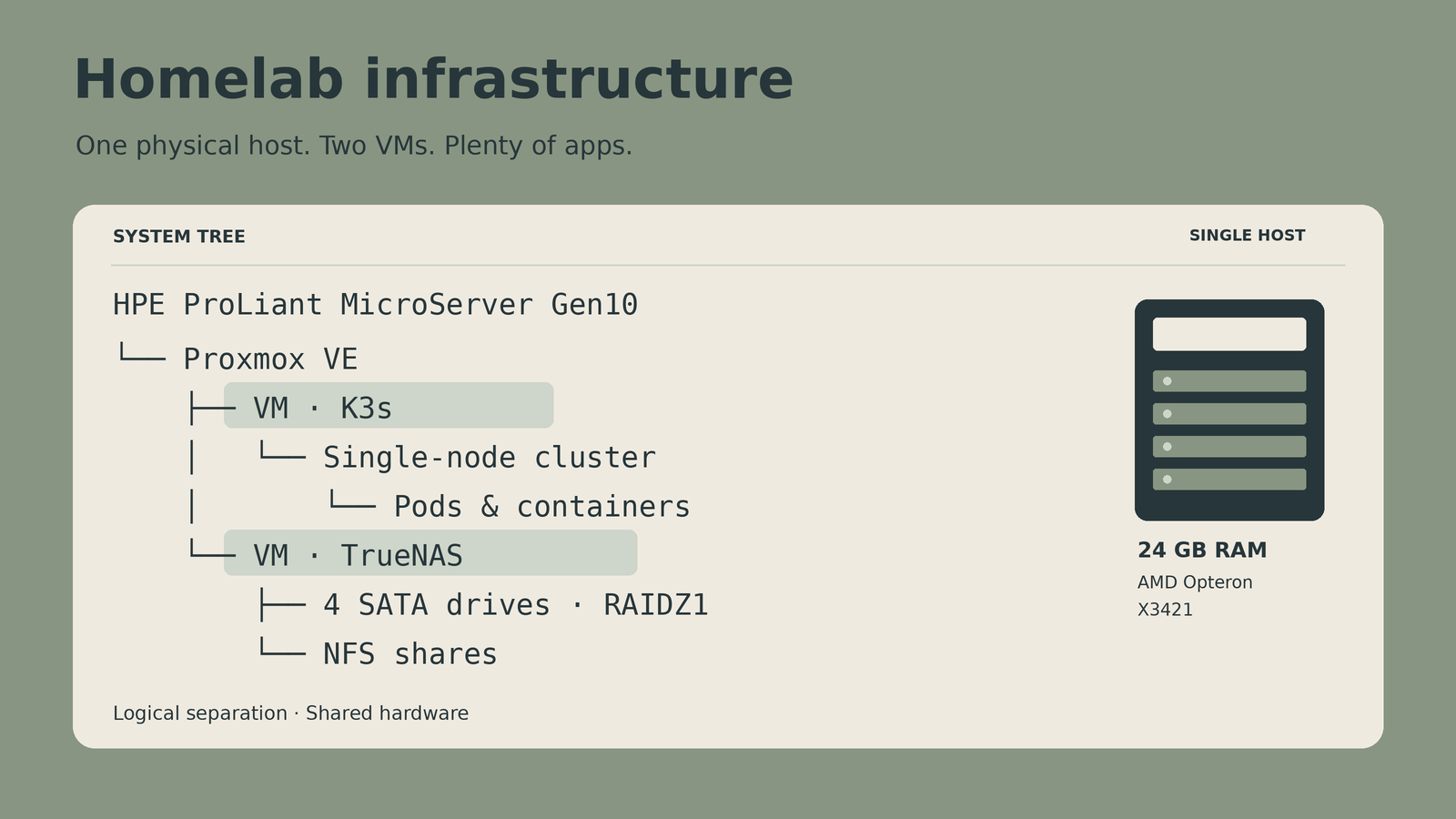
The following overview shows the layers from hardware to applications:
HPE ProLiant MicroServer Gen10
└── Proxmox VE · Hypervisor
    ├── VM · Kubernetes with k3s
    │   └── Single-node cluster
    │       └── Pods and containers · Applications
    └── VM · TrueNAS
        ├── Data storage · 4 SATA drives in RAIDZ1
        └── NFS shares
The VMs logically separate Kubernetes and the NAS from each other.
Hypervisor
The hypervisor is the virtualization layer in the cluster. Its purpose is to keep the underlying systems logically separate. Since both VMs run on a single physical host, a host failure takes down all the services running on it. The overall system therefore does not provide high availability. For a home lab, I accept that for now.
I use Proxmox VE as my virtualization platform. It is based on Debian and installed directly on the host. The virtual machines run on KVM/QEMU.
With Ansible and Terraform , I describe the infrastructure and its setup in configuration files, allowing me to manage the cluster infrastructure according to Infrastructure as Code principles.
Kubernetes
To deploy my services, I chose a K3s cluster running in single-node mode on a VM. This allows me to configure my setup flexibly while learning about and experimenting with various Kubernetes topics.
The services themselves are deployed with Argo CD following the GitOps principle. The desired state of my applications is stored in Git; Argo CD reconciles it with the state in the cluster. I use Helm charts to configure my applications, which Argo CD also supports.
I describe how I implement this in my post on deploying Nextcloud with Helm on K3s .
I explain how I make selected services publicly accessible in my post on access via a VPS and Tailscale .
NAS
The second VM is dedicated to NAS duties. Using TrueNAS as the operating system, I manage a ZFS storage pool consisting of one RAIDZ1 vdev with four HDDs. Single parity allows the pool to survive the failure of one HDD without data loss. However, this redundancy does not replace a separate backup: it does not protect against accidental deletion, malware or the loss of the entire server, for example.
In my setup, I pass the four physical SATA hard drives through to the TrueNAS VM as individual SCSI drives using their stable /dev/disk/by-id/ paths; a complete SATA or HBA controller is not passed through via PCI passthrough.
The NAS does not just hold my file backups, though. I provide persistent storage for application data to the Kubernetes cluster over NFS. This keeps that data on the RAIDZ1 pool, separate from the Kubernetes VM’s system disks. This storage is not a backup in itself; additional backups are required.
Conclusion
For a private home server, my system provides a solid foundation.
What I really like:
It allows me to host several services myself and try out lots of things. I retain control over my data and do not have to depend on tech corporations. The available resources provide enough capacity for everything I need at home. Keeping energy consumption as low as possible is one of my goals. The NAS system offers enough space for my files and, thanks to RAIDZ1, tolerates the failure of a single HDD.
What could be improved:
A cluster spanning multiple physical hosts could offer more flexibility in distributing applications and improve availability. Higher availability would also require a suitably redundant control plane, storage and applications. Otherwise, the single TrueNAS VM remains a single point of failure for applications that depend on NFS. Multiple Kubernetes VMs on the same host, on the other hand, do not protect against a host failure. Additional hosts would also increase energy consumption and maintenance effort.
More CPU power and RAM could ease bottlenecks where these resources constrain a particular application. However, the scalability of my single home server remains limited. Nextcloud and the NAS in particular can require substantial CPU, RAM and I/O resources, depending on usage.
An offsite backup would also be interesting, keeping my data safe at a different physical location even in the event of a fire or theft.