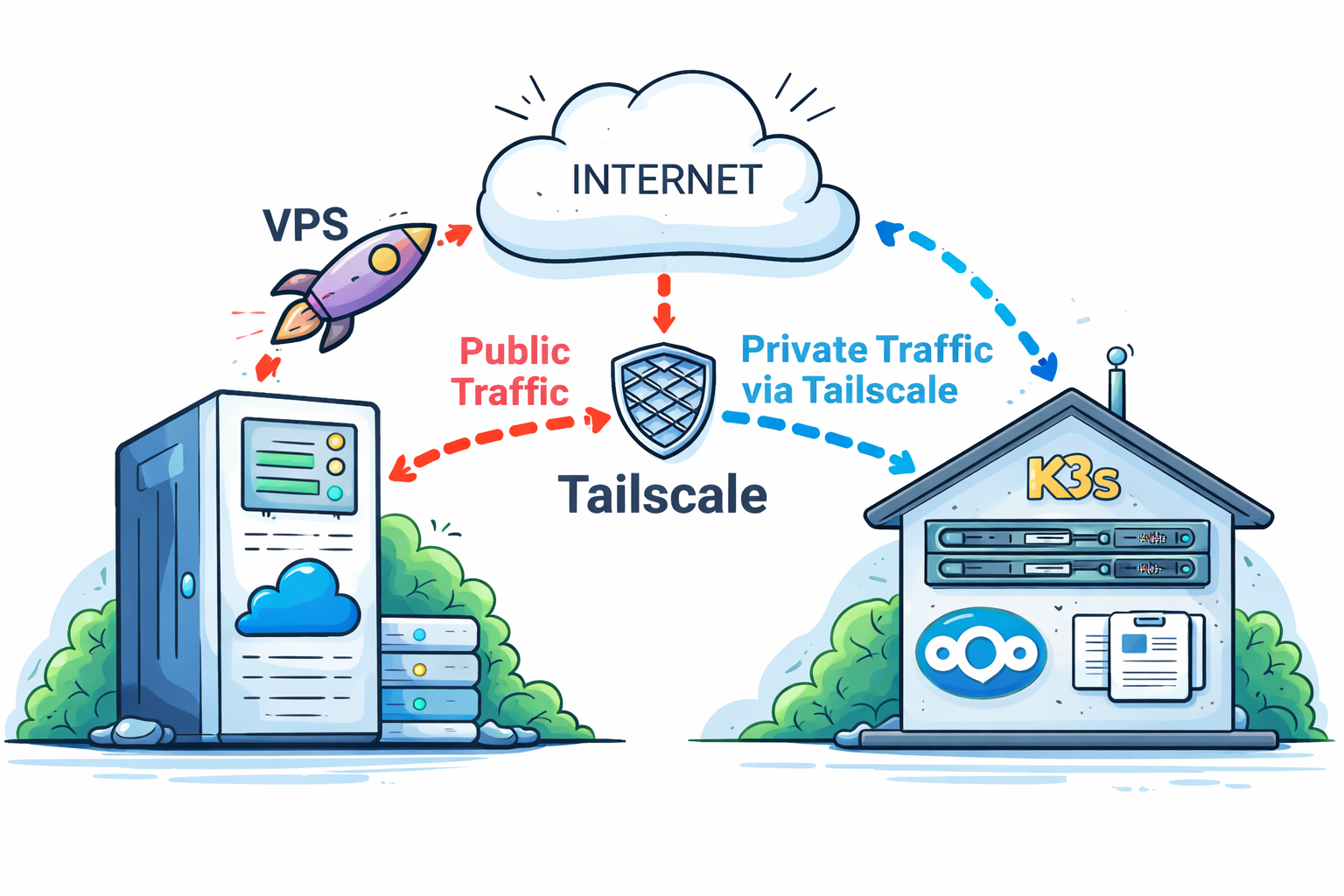
During my last homelabbing session, I ran into a problem that initially felt annoying but eventually turned into a surprisingly elegant solution—one worth sharing.
The Problem
I run a private server in my apartment hosting various homelab services. By design, this server is not directly accessible from the public internet. I want to keep my internal services private and under my control.
For remote access while traveling, I rely on Tailscale. This allows me to securely access services like paperless-ngx from my phone or laptop without exposing anything publicly. So far, this setup has worked flawlessly.
The situation changed when I deployed Nextcloud. Unlike my other services, Nextcloudneeded to be publicly accessible so I could share files with friends and family.
The obvious solution would have been:
- Configure port forwarding on my Fritz!Box
- Point a domain to my home IP
- Add DynDNS to handle IP changes
However, this approach quickly fell apart:
- I did not want to expose my home network via port forwarding
- My DNS provider does not support DynDNS updates
After exploring alternatives, I realized I already had the missing puzzle piece: a VPS with a static public IP.
That led to the idea: Why not use the VPS as a public entry point and forward traffic securely into my Tailscale network, directly to my K3s cluster at home?
The Solution
The final architecture is simple, secure, and surprisingly robust.
What I Already Had
- A VPS with a static public IP (See my other post about my VPS (Setup Coolify platform on your VPS)
- Coolify running on the VPS as a PaaS
- Traefik as the reverse proxy managed by Coolify
- A private domain pointing to the VPS IP via A records
- Tailscale installed on both:
- the VPS
- the homelab K3s cluster
At this point, the VPS and my homelab were already part of the same tailnet, meaning they could communicate securely as if they were on the same local network.
What Was Missing
To make this work end-to-end, I needed two adjustments:
1. Reverse proxy routing on the VPS
Traefik (managed by Coolify) needed to forward requests for a specific domain to a service running inside my private K3S cluster over Tailscale.
For this the file /data/coolify/proxy/dynamic/coolify.yaml has to be modified:
# add routes
    nextcloud-http:
      middlewares:
        - redirect-to-https
      entryPoints:
        - http
      service: nextcloud-service
      rule: Host(`<yourdomain.com>`)
    nextcloud-https:
      entryPoints:
        - https
      service: nextcloud-service
      rule: 'Host(`<yourdomain.com>`)'
      tls:
        certresolver: letsencrypt

# add service
    nextcloud-service:
      loadBalancer:
        servers:
          -
            url: "http://<tailscale-ip>:<nodePort>" # node Port of LoadBalancer service (see step 2)
2. Service exposure inside Kubernetes
Instead of using a standard Ingress for Nextcloud, I switched to a LoadBalancer service. This allowed Traefik on the VPS to forward traffic directly to the Nextcloud pod via its Tailscale IP.
extraManifests:
  externalService:
    apiVersion: v1
    kind: Service
    metadata:
      name: nextcloud-external-service
      namespace: nextcloud
    spec:
      type: LoadBalancer
      selector:
        app.kubernetes.io/component: app
        app.kubernetes.io/instance: nextcloud
        app.kubernetes.io/name: nextcloud
      ports:
        - protocol: TCP
          port: 8080
          targetPort: 80
          nodePort: <nodePort> # must be greater than 30000
The result
With these changes in place, traffic flow looks like this:**
Summary
By using a VPS as a public ingress point and combining it with Tailscale, I was able to expose a single service from my private homelab without compromising security or architecture cleanliness.
This setup provides:
- A stable public IP
- Secure private networking via Tailscale
- Full control over which services are exposed
- Zero inbound connections to my home network